A Pomodoro smart enough
to tell the difference.
Between debugging on Reddit and doom-scrolling Reddit. Between a YouTube tutorial and a YouTube binge. Tomato reads your active window against the intention you typed — and only nudges when you've really drifted. Never blocks. Never shames. An accountability partner that trains your own focus.
App blockers can't tell
research from procrastination.
You're debugging your code on Reddit. You're watching a YouTube tutorial. A dumb URL blocker doesn't care — it shames you for both. That's not focus. That's friction. Tomato understands what you actually set out to do, and only steps in when you've truly drifted.
Smart enough to tell the difference.
Tell Tomato what you meant to do
Type the intention before each session. Tomato uses it as the lens for everything that follows — not a list of banned websites.
Reads context, not URLs
A small on-device model peeks at the gist of your active window and asks one question: is this aligned with what you said you'd do? Reddit might be — it depends.
Nudges, never blocks
No walls, no countdown to lockout, no public shame. When you drift, a friendly card appears — dismiss it, return, or end the session.
Trains your own focus
External blockers don't build attention; they outsource it. Tomato gently reflects your patterns back to you, so you re-learn focus as a skill.
Three steps. No willpower required.
No app banlists to maintain, no rituals to remember. Just an intention and a friendly observer that already understands what you set out to do.
Tell it what you mean to do
Open Tomato, type your intention (e.g. "Debug the auth flow"), pick a session length, hit start. That sentence is now the lens.
Work like you normally would
Tomato tucks into your menu bar. A floating HUD shows time remaining and your intention. Open Reddit, open the docs, open whatever you need — nothing is blocked.
Drifted? Tomato says something
When the gist of your active window stops matching your intention for too long, a calm card appears with a one-line reason and a confidence score. Get back, snooze it, or call the session.
Twitter doesn't look like "debug the auth flow"
What it looks like.
Designed to feel like part of macOS, not on top of it. A few real moments from a session.
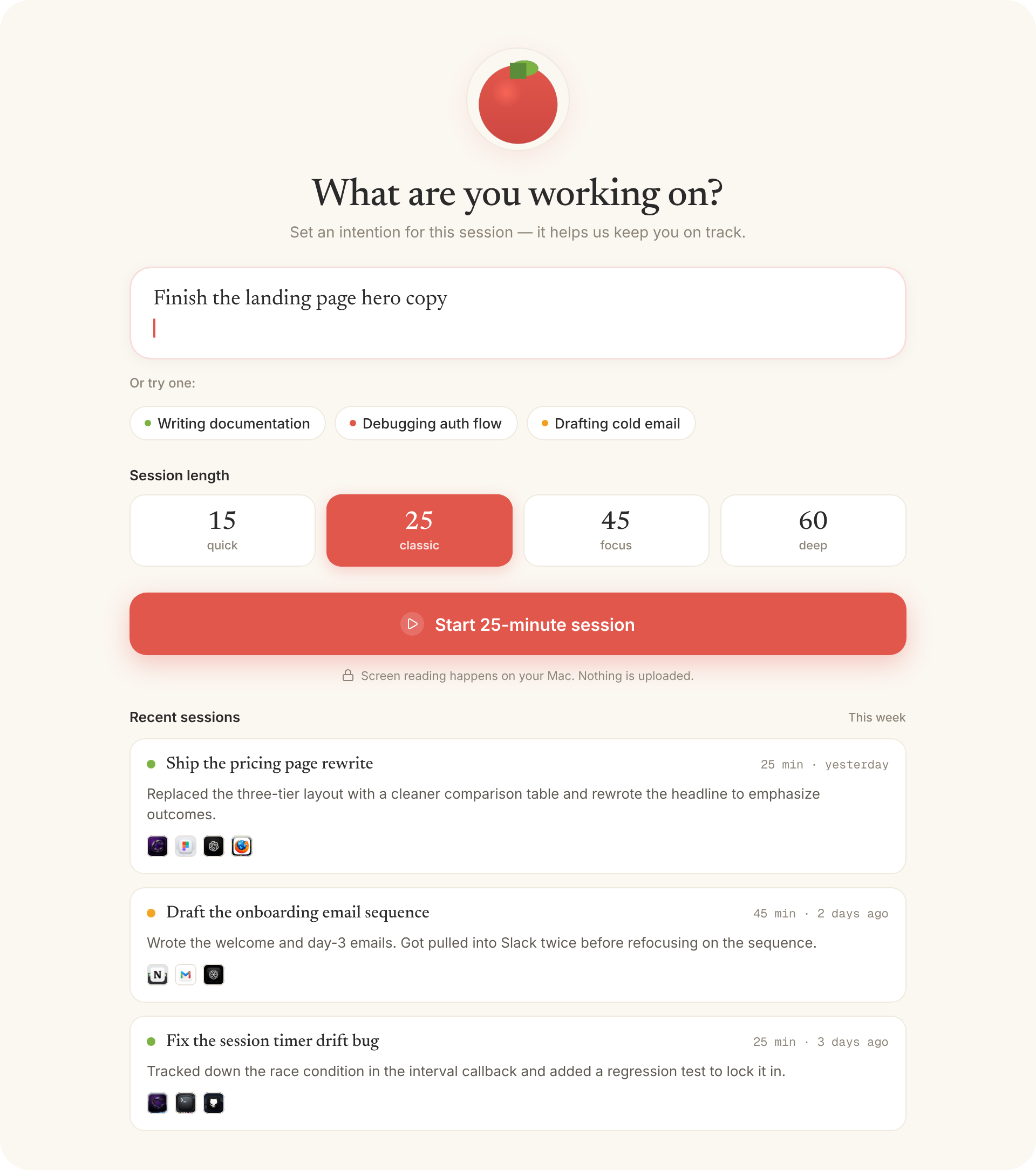
Set the intention
One line is enough — Tomato remembers.
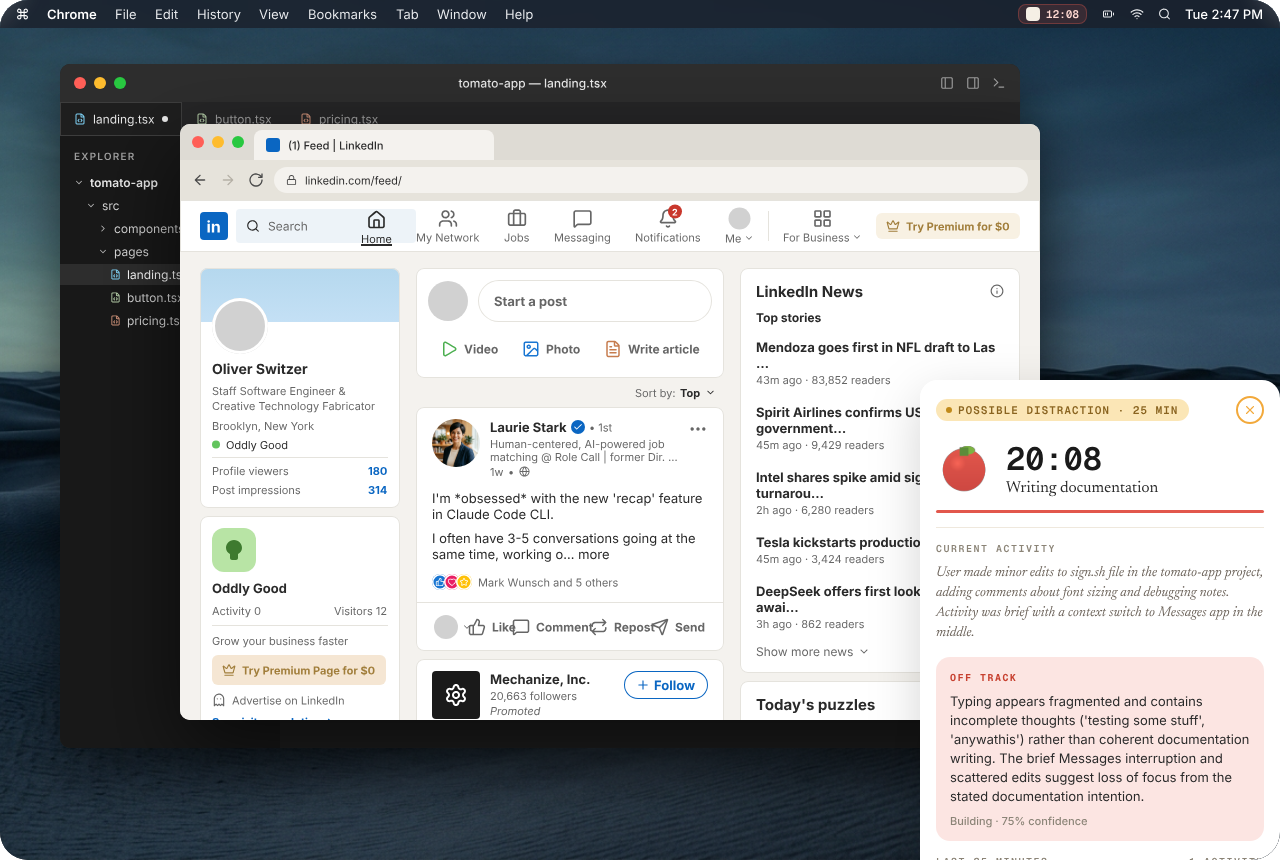
A nudge when you drift
Floating, friendly, dismissable in one click.
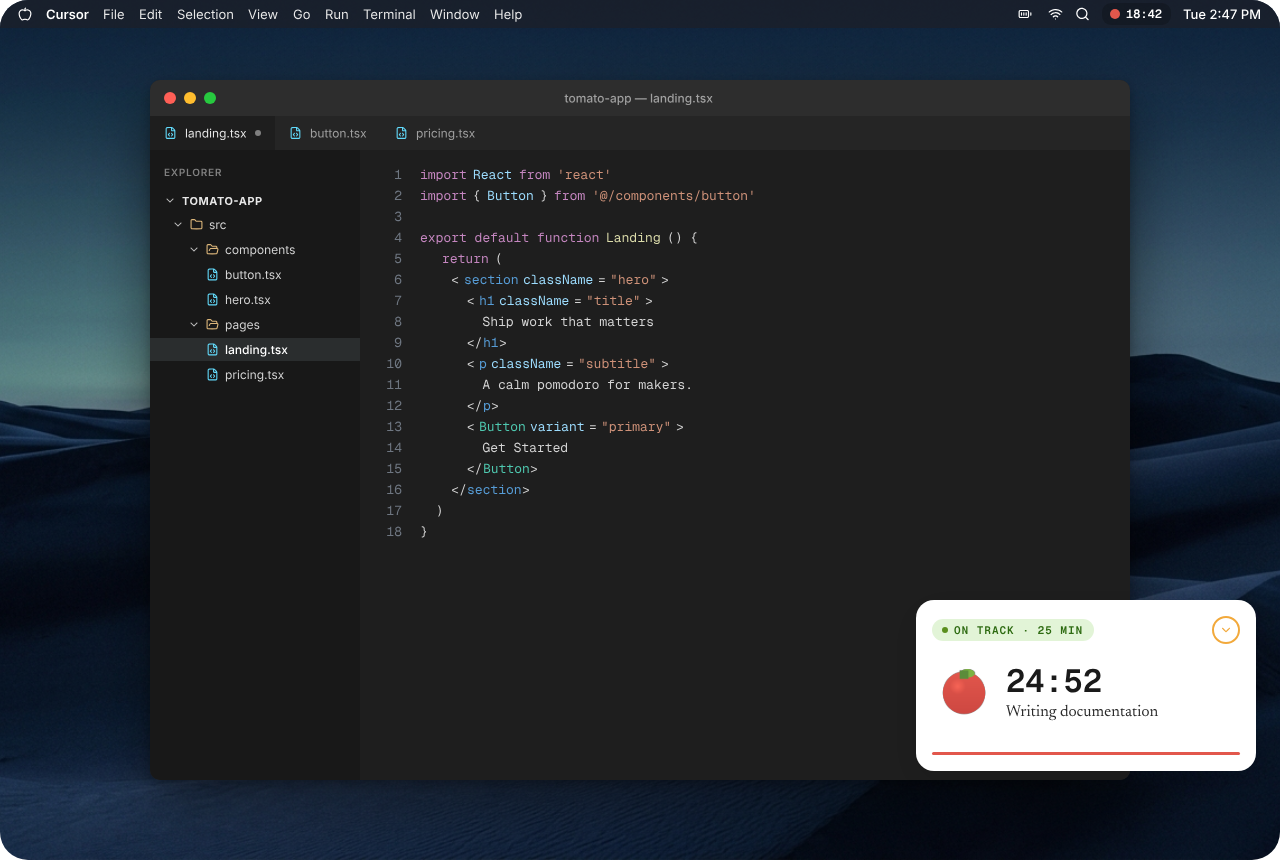
On track at a glance
A quiet HUD with your timer, intent, and current state.
It pays attention. Then it remembers — only for you.
Tomato keeps a private journal of your focus sessions, built from textual metadata like window titles and tabs — never from screen pixels. Soon you'll be able to ask it "what did I work on yesterday?" or pull a weekly recap, all from your own machine.
You drifted to Twitter. Want to refocus on writing documentation?
Stop fighting your apps.
Tomato is a Pomodoro timer that actually understands what you set out to do — and trusts you to steer. Free during the beta. Local-only. No account.
macOS 13+ • Universal Binary • 28MB • No account required